EVIDENCE + DELIVERY

Local AI for deeper checks. Discord for faster attention.

These are separate parts of the workflow: Discord tells you an opportunity needs attention; local AI and market evidence help you judge what that opportunity actually looks like.

LOCAL OLLAMA AI

The analysis runs on your PC.

Resell AutoBot connects to Ollama running locally at the standard local service address. Vinted and eBay AI settings are separate, but both use the configured local model.

  • Vinted AI checks the strongest opportunities after saved-search matches are detected.
  • eBay AI identifies the listing from its own title, specifications, description and photos and chooses relevant evidence checks dynamically.
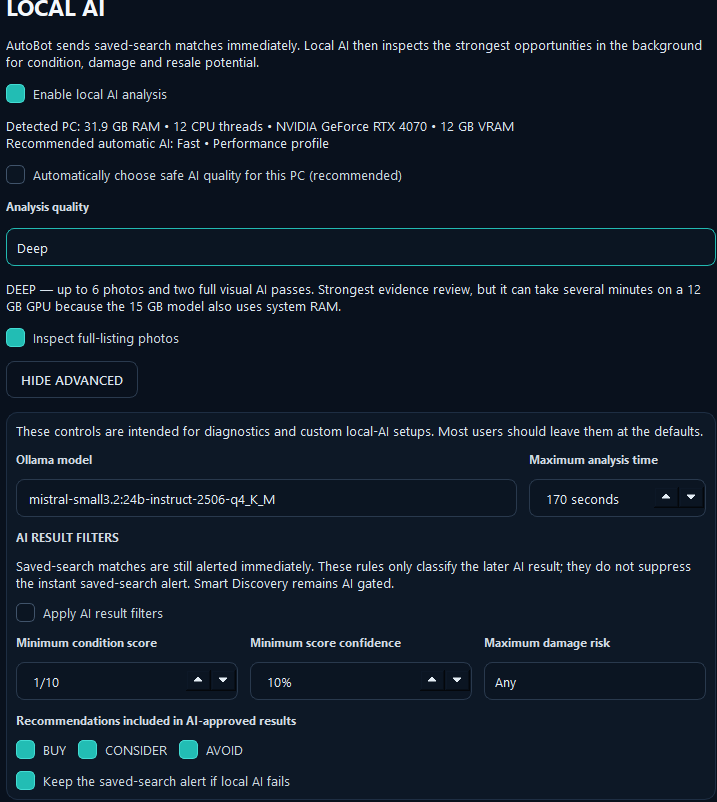
  • Adaptive hardware mode can automatically select a safe analysis quality.
  • Fast, Balanced and Deep modes trade depth for speed.
  • Photo analysis can be enabled so visible wear, damage and completeness can be considered.
What AI cannot promise: authenticity, hidden faults, true internal functionality or a guaranteed future selling price.
Local AI settings in Resell AutoBot showing adaptive hardware mode and AI result filters
Actual Local AI configuration screen.
DISCORD DELIVERY MODES

Choose between speed and one-message simplicity.

Normal mode

A new explicit saved-search match can be sent immediately, then the completed AI/market result can follow later. This is the fastest way to know something has appeared.

AI-only mode

Turn on Only send AI analysis in the workspace Overview. AutoBot shows the match in-app immediately but waits for AI before sending it to Discord.

Smart Discovery

Broad discovery is not treated like a normal saved search. It remains gated by AI/market rules so every broad candidate does not become an alert.
SETUP

Webhook setup is deliberately simple.

  1. Create a Discord text channel.
    Choose where you want private deal alerts to arrive.
  2. Create a webhook in Discord.
    Server Settings → Integrations → Webhooks → Create Webhook, choose the channel, then copy the webhook URL.
  3. Paste it into AutoBot.
    Open the marketplace workspace → Connections → Configure Discord.
  4. Test before monitoring.
    Use Connection Test, then Send Sample Deal. Enable Discord alerts and save.

Full Vinted setup tutorial · Full eBay setup tutorial

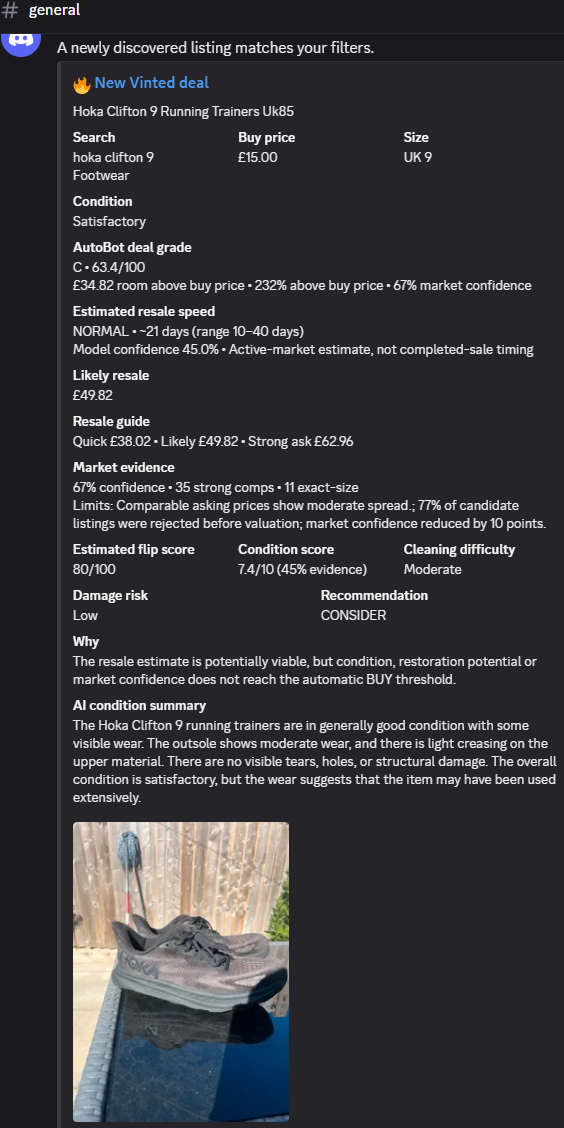
Vinted Discord analysis notification generated by Resell AutoBot
Vinted alert example
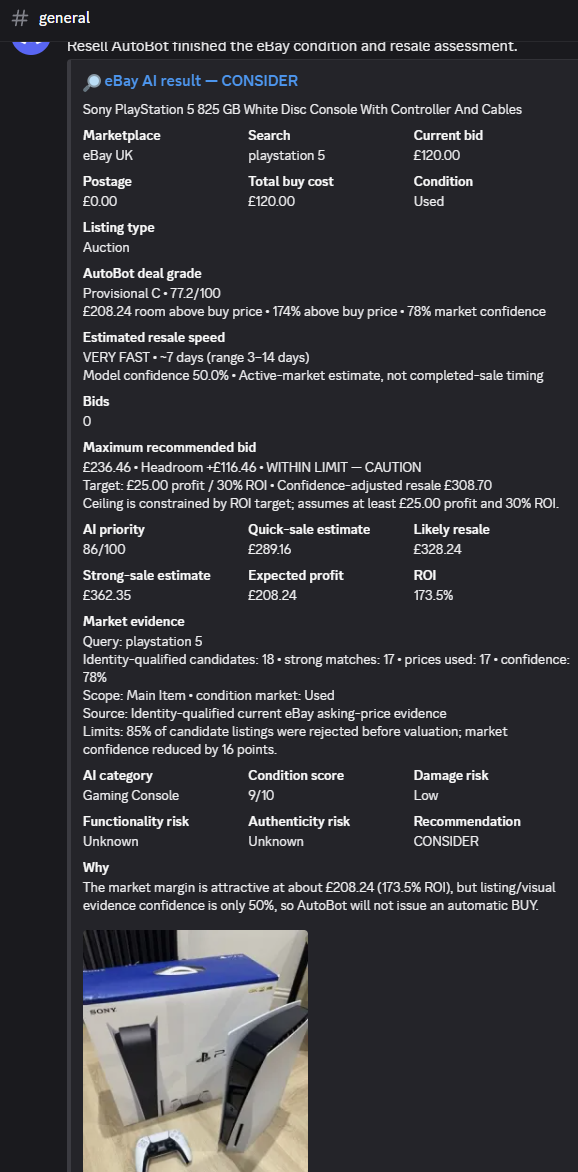
eBay Discord analysis notification generated by Resell AutoBot
eBay alert example